Listening Copy Use case
Secure music sharing for record labels
Listening Copy lets record labels send unreleased tracks and albums through separate private listening links for each recipient. Add artwork, arrange the tracks, choose whether downloads are allowed, and apply a recipient-specific audio watermark when the delivery needs to be traceable. Recipients listen in their browser without an account.
By Listening Copy · Reviewed
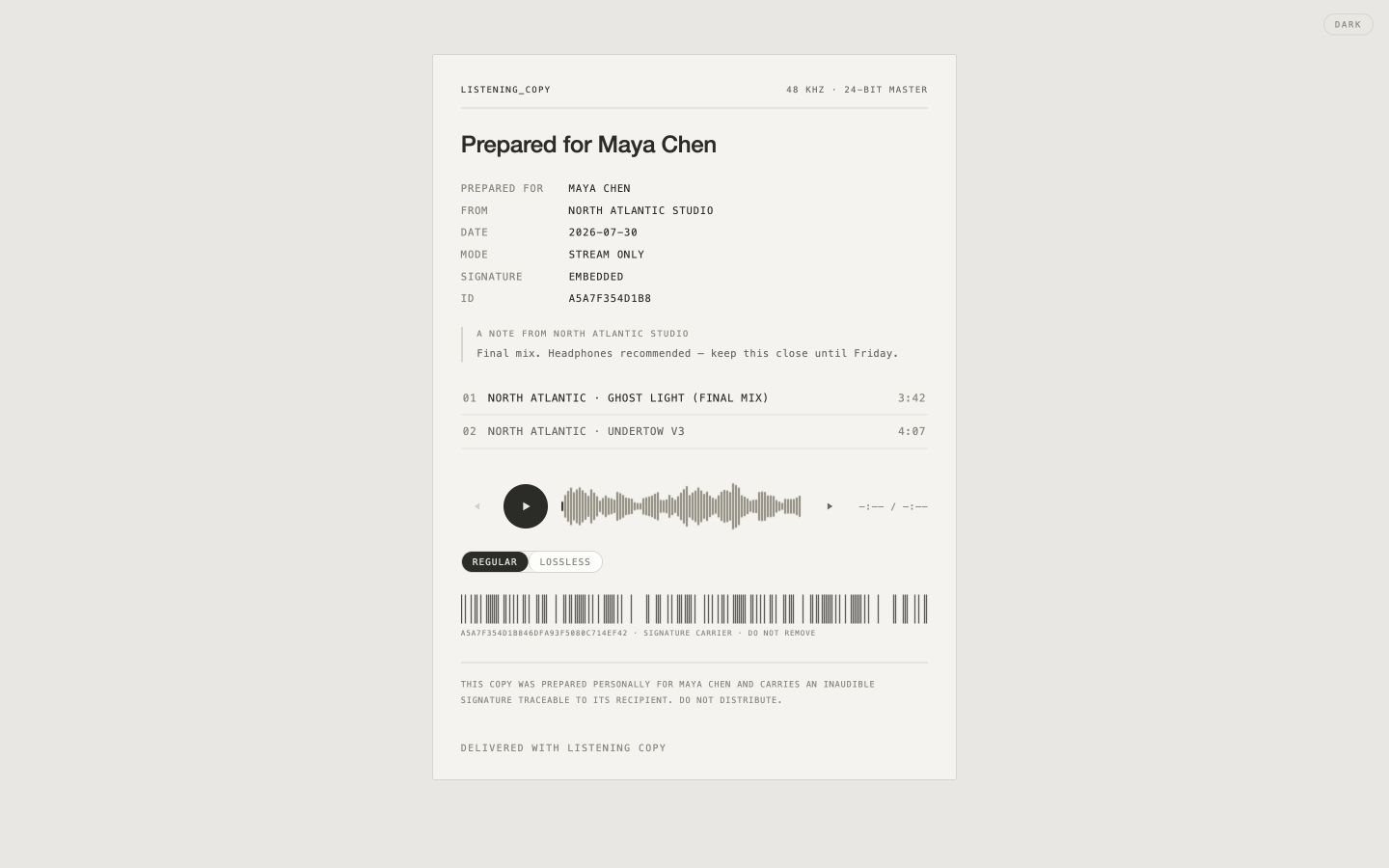
One release, separate recipient deliveries
A journalist, distributor and prospective collaborator may need different access to the same release. Separate links let you choose a listening window and download permission for each delivery, and revoke one link without disrupting the others.
For sensitive material, watermark each recipient's audio copy. If a suspected leak becomes available, the tracing workflow checks for an identifier associated with a delivery record.
Keep the release in sequence
Send an ordered playlist with the cover artwork and total playing time. Tracks start in alphabetical order unless you arrange them differently. You can edit order and artwork after sending. A live folder can reflect later changes; use a fixed playlist when the recipient should hear a stable release.
- Upload the approved tracks and check that processing has finished.
- Select the album, arrange its sequence and attach artwork.
- Create a delivery for each recipient, with watermarking where needed.
- Choose expiry, password and download settings, then send the link.
- Review activity and revoke access when appropriate.
Choose the plan for your catalogue
Start free with three welcome watermark credits. WAV storage is available on Session, Studio and Teams; live folders start on Solo. One watermark credit covers up to 30 minutes of one track for one recipient; longer tracks use additional credits. Check the current pricing page for storage, included credits and billing options.
Keep production sessions, contracts and release administration in the systems you already use. Listening Copy handles audio listening and delivery.
What access controls can and cannot do
A watermark can help identify the delivered copy from which a leak originated. It does not prove who leaked it, prevent recording, or guarantee detection after every edit. Revoking a link stops future access through that link; it cannot recall files already downloaded.
Disabling downloads removes the ordinary download option, but a listener can still record playback. Use the controls in proportion to the sensitivity of the release.
Common questions
Does each recipient need an account?
No. A recipient opens the private link in a browser. If you set a password, they enter it before listening.
Can I revoke just one recipient's access?
Yes. Create a separate delivery for each recipient, then revoke the relevant link from Sends.
Can I send an entire album?
Yes. Send a playlist or folder, choose its order and attach artwork. The listening page shows total playing time.